How HOMO Plans service work? Step by step guide.

Updated: Mar 16

Hello, realtors and real estate agents. welcome to Homo Plans. In this blog, we will guide you on how to use our service and how our service works. Our website is completely user-friendly and easy to use and fully transparent; there is no need for any advance payment or subscription; you just need to fill out some details and upload some reference files for your project. You will receive your complete project once it’s completed; just make payment and download it. We will guide you step-by-step with screenshots.
Choose your service.

On our website’s home page, choose your service. Like floor plan redraws, virtual staging, area site plans, and development floor plans. And then click on Explore more, and that thing will redirect you to the service’s main page, where you can read full details, and you can see examples of our projects. You get ideas about our project designs and theme.
On the floor plan page, we have some categories available to choose from. (Like the budget floor plan, standard floor plan, and ultimate floor plan), our service makes it easy for you to make the right choice.
Submit your project.
To submit your project, just click ORDER NOW on any of our product pages, or you can manually scroll down to the page’s bottom, where you find a form section. The form section is where you submit your project. Just fill in some details and upload your project references, and you submit your project. JUST IT! The screenshot below will guide you on how to fill out the form.

To cancel your project you submitted just email us at project@homoplans.com with property address.
What reference do you have to submit on the service you choose? Here are some examples.
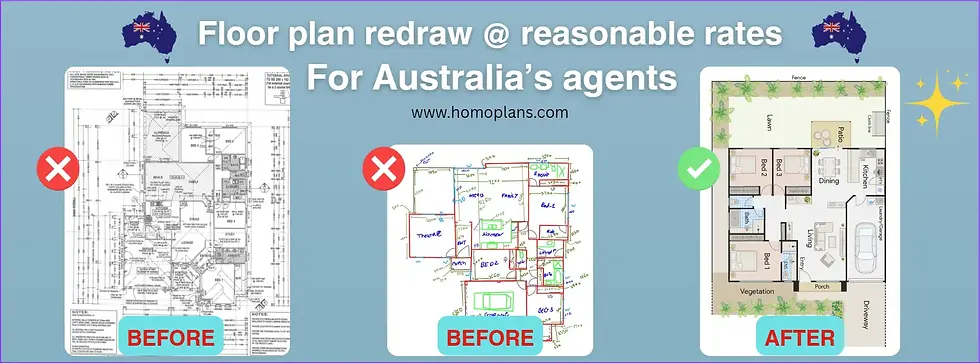
Floor Plan Redraws: You have to submit the old floor plan copy and their site plan (if available) and also the strata plan or any reference available. If property photography is available, you can share a link in the note section in the form so our designer will redraw your floor plan accurately with the help of all the references you provided to us.

Virtual Staging: Just like the floor plan, fill out the form and upload the empty room photograph. You can upload up to 5 photographs, or if you have 5 or more photographs, you can share a drive link in the note section of the form.

Areal Site Plan or Bird’s-Eye View: Provide us a drone aerial image of your property for your bird’s-eye view project. If your photographer is giving you an aerial copy, provide the best-angled image so we can indicate nearby areas. In the Areal Site Plan, prove a proper property address or just upload a drone image if available (for best results). If aerial photos are not available, we use an online satellite imagery service to create your aerial site plan project, and we add approximate measurements to your property.

Development Floor Plan: In the development floor plan, just provide us a land address and upload a map or any aerial images or any other floor plan reference so that we can help you redraw your floor plan just like an architectural floor plan.
Once you submit one of these projects, you will receive an email from us to inform you that we received your project.

So this is the full guide on how to submit the project to HOMO Plans. It’s very easy, isn’t it?
How do you receive your complete project?
You will receive an email from us at the email address that you have provided in the form section. We mostly send email in simple plain text, so make sure our emails do not end up in spam & have better delivery rates. In the email, we mention all of your project details with the total payment or discounts and your project details with the download or purchase link. Without any

Once you click on the download now button, you will be redirected to the project file provider’s site, where you will find your completed project file.
You can also show a thumbnail of your project, just like a little preview. Now just click on the pay now button, and you will be redirected to the payment gateway. Once you make a payment (you can pay with a credit card, PayPal & debit card; *please note that the payment gateway will convert AUD to USD), if you have an ABN or VAT number, you can fill out for a tax refund. Once payment is done, you can download your complete project file.

How to access downloaded project files.
Your downloaded project files are located in your computer’s or mobile’s downloads folder. We provide JPG & PDF for all floor plan projects, and for virtual staging/bird’s-eye view/aerial site plans, we provide JPG or PNG files. If your project is for a floor plan, you will receive JPG & PDF files. If you receive a ZIP file, just extract it, and you get your project files.

So this is how our service works. I hope you understand how to use HOMO plans. Withoutany advance payment or subscription and any hidden charges. HOMO plans to provide a top-notch service whether you are a real estate agent, a realtor, or a homeowner who wants to sell their property. Our service will help you to get more leads to your listing and make more attractions to them.
For any feedback, please email us at project@homoplans.com. We will fix any error or bug in our service. Thank you for choosing HOMO Plans, and best of luck with all your property listings.